
Last updated November 16, 2026
 Wrought iron
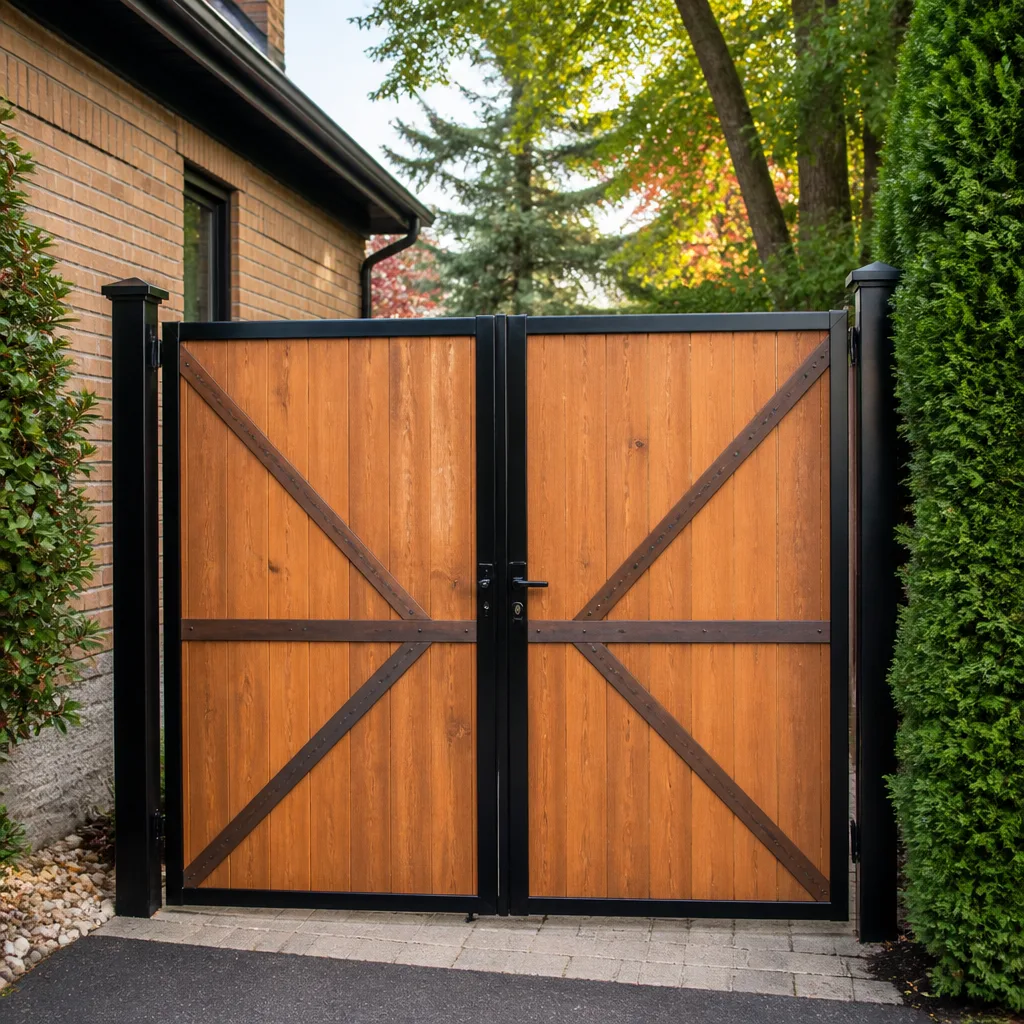 Wood & steel frame
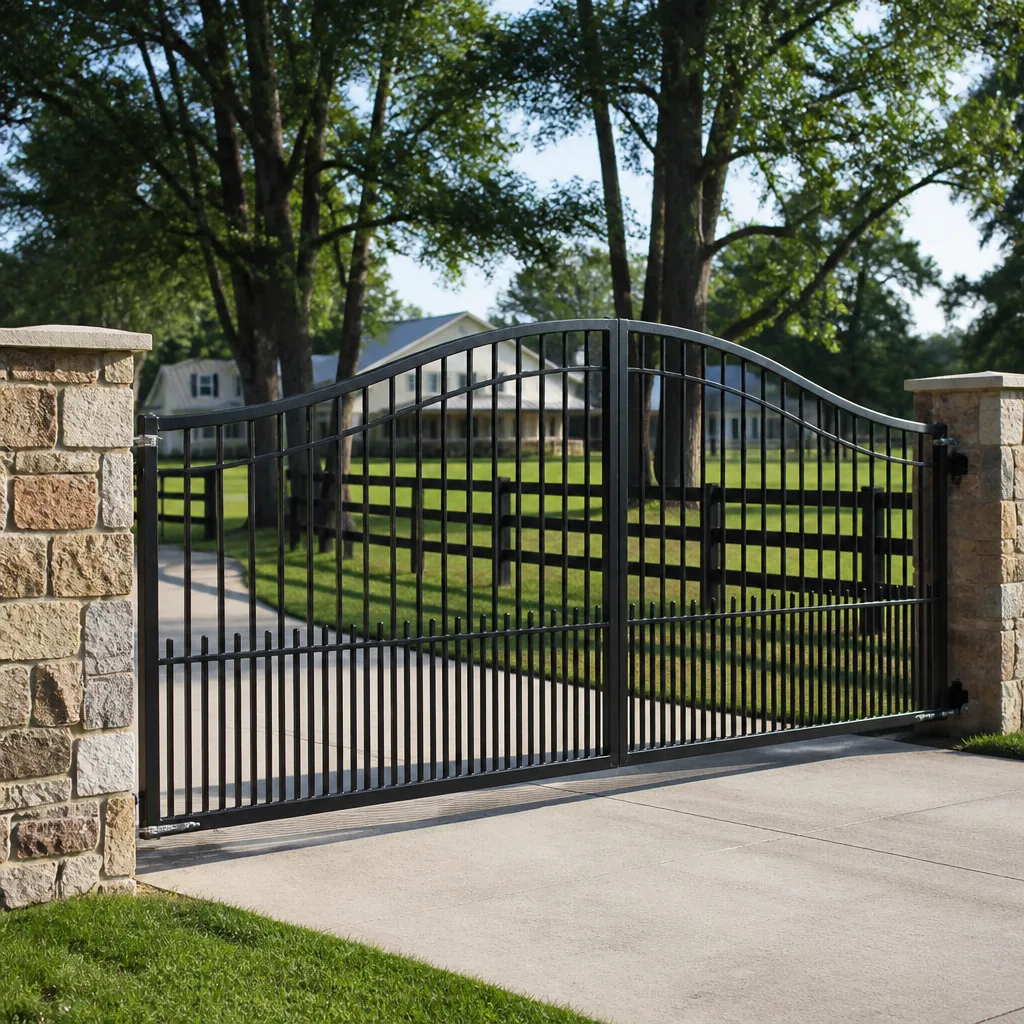 Farm & ranch
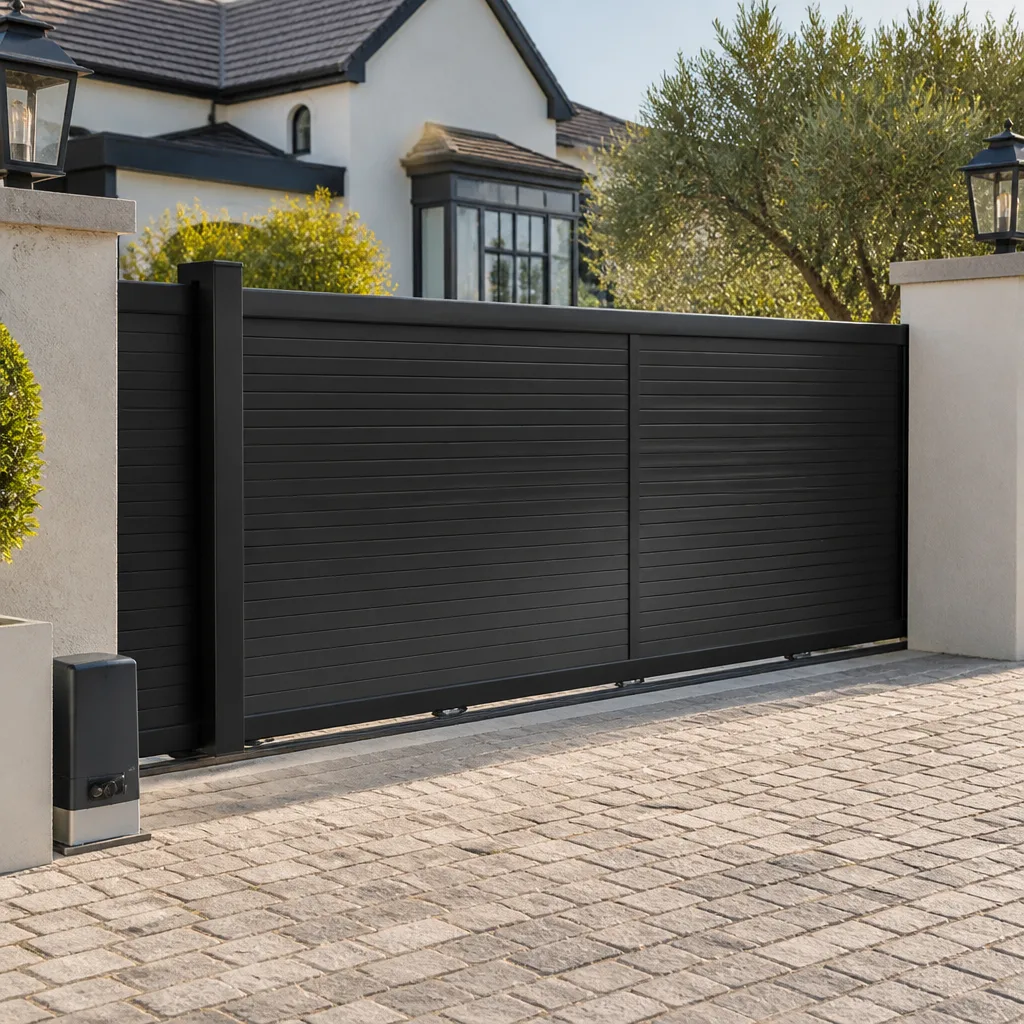 Sliding driveway gates
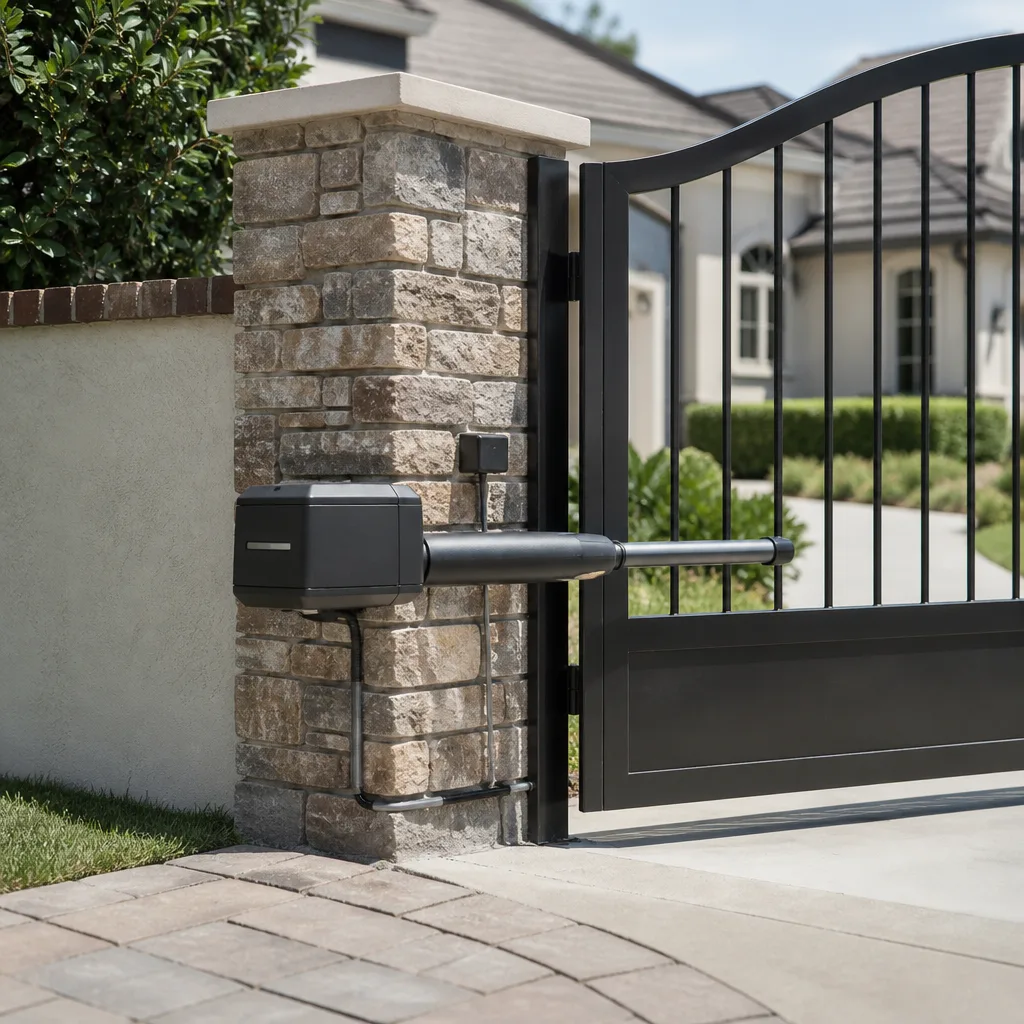 LiftMaster operators
Free on-site gate assessment - hinges, posts, and your LiftMaster or Nice gate operator checked before anything is quoted
The assessment is free and the quote is the invoice.
Get your free estimateGate Repair Warning Signs: A Salinas Homeowner’s Reference Guide
A gate that hesitates for two seconds before it opens is not “getting old.” It’s a gate whose operator is drawing excess current, and that symptom usually traces to one of three causes – two of which get noticeably more expensive if you wait another month. Most gate failures we see are not sudden. They telegraph themselves for weeks, in noises you learn to ignore, in remotes you press twice, in a gate that stops an inch short of the post. This guide translates what your gate is doing into what it actually means mechanically, so you can tell the difference between “schedule a service call” and “shut this down today.” If you live in Salinas and your gate has started acting differently, this is the reference to keep.
Quick Answer
In Salinas, the most common gate warning signs are grinding or clicking noises, a gate that hesitates before moving, a gate that stops short of closing, reduced remote range, and visibly slow travel. Grinding usually points to a worn chain or drive gear, hesitation points to excess current draw at the operator, and a gate that stops short is usually a limit switch, an obstruction, or a shifted post. Any sign that involves the gate moving on its own, failing to reverse, or sagging off its track is a safety issue and means shutting the gate down until a technician looks at it.
Styles & brands we work with
- Wrought iron
- Wood & steel frame
- Farm & ranch
- Sliding driveway gates
- LiftMaster operators
Table of Contents
- “Working But Struggling” vs. “Safe to Operate”
- What Grinding and Clicking Noises Actually Mean
- Why Your Gate Hesitates Before It Opens
- When Your Gate Won’t Close All the Way
- Remote Range Problems and What They Tell You
- A Gate That Moves Slower Than It Used To
- Salinas Conditions That Look Like Operator Problems (But Aren’t)
- How to Document Warning Signs Before a Technician Arrives
“Working But Struggling” vs. “Safe to Operate”
The single most useful distinction in gate maintenance is between a gate that’s working but struggling and a gate that’s genuinely unsafe. Both feel like “it still works,” and that’s exactly why homeowners delay calling. The difference is what happens when something goes wrong mid-cycle.
A gate that’s working but struggling still completes every cycle correctly. The operator may sound strained, the remote may need to be closer, the gate may be slower than it used to be – but the beam sensors stop it when a car pulls in, the limit switches park it in the right position, and it reverses when it’s supposed to. Struggling is a scheduling problem. You book gate repair at the next convenient opening, and you keep an eye on it in the meantime.
A gate that’s unsafe is doing something outside the design. That includes:
- Moving when it shouldn’t. Opening or closing on its own, or continuing after an obstruction is detected.
- Failing to reverse. The gate should reverse on contact with an object; if it pushes through, the safety system is compromised.
- Sagging off the track or hanging loose. A heavy panel that has come partway off a slide gate track can drop, and a swing gate with a failing hinge can swing free.
- Sparks, burning smells, or audible electrical buzzing at the operator or control box. That’s a power problem, and it’s not something to run again to “see if it’s still doing it.”
- Visible damage to the gate arms or hinges after an impact. The gate may look fine and still carry thousands of pounds through a weakened weld.
If you can tick any of the second list, stop using the gate manually or leave it in a fixed open position until a technician can inspect it. That’s not a sales pitch – it’s the same advice we’d give a neighbor over the fence.
What Grinding and Clicking Noises Actually Mean
Grinding is the easiest symptom to misread. Homeowners hear it and assume the operator is going out, but grinding is more often mechanical – something in the drive train – and clicking is more often electrical or a slipping clutch. Getting the diagnosis right the first time matters because a worn drive gear and a failing motor have very little in common beyond their sound.
Here’s how the common noises map to components on the brands we work on most – FAAC, BFT, Linear, and Viking among them:
- Rhythmic grinding that speeds up with the gate. Almost always a chain or drive gear. On chain-driven slide gates, a stretched chain will skip on the sprocket under load and grind audibly as it does. Left long enough, the sprocket teeth round off and what was a chain replacement becomes a chain-and-sprocket job.
- Clicking with no movement. Usually a relay or clutch issue. On swing operators, the clutch may be slipping, which is a safety feature doing its job. On slide operators, it can be an encoder fault or a limit switch that isn’t registering.
- Grinding only at the ends of travel. The limit switches are set wrong or have drifted. This is the cheapest kind of fix and the most worth catching early – a gate that slams into its end stop will eventually damage the stop and, on a slide gate, the track.
- Metal-on-metal scraping that changes with weather. Look at the gate itself, not the operator. Worn rollers on a slide gate or a bent track will scrape, and the noise often gets worse in summer when the track expands.
For swing gates on BFT or FAAC arms, a grinding sound at the hinge end of travel usually points to a failing hinge or a bent arm, not the operator motor. We’ve seen homeowners replace a perfectly good operator when the actual problem was a $30 hinge and a track realignment. Sound matters, but direction and timing of the sound matter more.
Why Your Gate Hesitates Before It Opens
A hesitation before opening is the most diagnostic warning sign a gate gives you. It points to excess current draw, and current draw has three likely causes, ranked roughly from cheapest to most expensive to fix:
- A battery going bad (DC operators). Viking and Mighty Mule operators commonly run on battery with a solar or trickle charger. A battery that’s lost its ability to hold a charge will cause the operator to hesitate as it draws current, especially first thing in the morning. Battery replacement is the cheapest fix on the list.
- Mechanical binding. The gate has developed friction somewhere – a hinge, a roller, a track, a slightly bent post. The operator is fine; it’s working harder because the gate wants to fight it. This is where the fix is either a $40 part and an adjustment, or a post reset, depending on what’s binding.
- A failing control board or capacitor. On AC operators like many Linear and LiftMaster models, a weak start capacitor can cause the motor to hesitate before it comes up to speed. On newer control boards, a partially failed relay or a bad input will do the same thing. Board replacement is the more expensive of the three, and it’s the one that gets worse if you keep cycling the operator while it hesitates – the motor runs hot and takes the board with it.
Salinas summers are warm enough that thermal issues compound quickly. If a hesitating gate only shows the problem on hot afternoons, that points toward a capacitor or a motor drawing current at the edge of its rated temperature. That distinction is worth telling a technician when you call, because it narrows the diagnostic down before anyone drives out.
When Your Gate Won’t Close All the Way
“Won’t close” isn’t one symptom – it’s three, and they point to completely different systems. Getting the category right saves the diagnostic time.
A gate that stops a foot or two short of the post and reverses: something is in the beam path or the safety edge has triggered. On a swing gate, look for a leaf, a grubby safety-edge sensor, or debris in the photobeam housing. On a slide gate, run a hand along the track and look for a stick, a rock, or a dropped branch. This is a common callout in Salinas because the planting along property lines moves with the seasons, and a shrub that was fine in spring can trip the safety beam by mid-summer.
A gate that stops short on just one side, but no obstruction is visible: the limit switch has drifted or failed. Limits tell the operator where travel ends; if one has moved, the operator thinks “closed” is a foot early. On swing operators this is a control arm angle or a limit cam; on slide operators it’s usually a magnetic limit that’s shifted or a dirty sensor.
A gate that closes but doesn’t latch, or that gaps on one edge: the gate itself has shifted, not the operator. Posts move, hinges sag, and swing gates can fall out of plumb. This matters in Salinas because the soil here moves seasonally – clays that swell and shrink with moisture cycles will push a post around over a few years, and the operator gets blamed for a gate that’s actually leaning.
The category matters because the fix and urgency are different. A safety beam interruption is usually minutes to resolve. A limit switch that needs readjustment is a scheduled visit. A gate that has shifted post-level is a bigger job, and on a heavy swing or slide gate, it’s also a safety concern – a gate that isn’t hanging right can drop.
Remote Range Problems and What They Tell You
Reduced remote range is one of the least alarming and most useful warning signs a gate gives you. If you used to open your gate from inside the house and now have to be within twenty feet, something has changed – and it’s usually one of four things.
- The remote battery. The simplest answer, and the most common. Test by using a second remote. If the second remote also has trouble, it’s not the remote.
- The receiver antenna. On most residential operators the receiver is a small module inside the operator housing with a short antenna wire. If that wire has been pinched, disconnected, or moved inside a metal cabinet, range collapses without any other symptom.
- Interference. New construction, added WiFi equipment, or a neighbor’s new device on a similar frequency can desense a receiver without anything actually breaking on your gate. If range drops after a nearby construction project, suspect interference first.
- A failing receiver or control board. If range is fine on one remote but not another, it’s usually the remote. If both remotes lose range simultaneously and interference is ruled out, the receiver or board is the likely culprit, and it’s worth having it looked at before it stops responding entirely.
For commercial properties using DoorKing systems, reduced range often dovetails with other entry-system problems – an intercom that takes longer to connect, codes that don’t always register. When those start appearing together on a DoorKing, the control board is the likely common component, and that’s worth a diagnostic call rather than parts-swapping in the dark.
A Gate That Moves Slower Than It Used To
A gate that runs visibly slower than it used to has either lost voltage or lost motor performance – and those two have very different fixes.
Voltage drop is the more common culprit on residential electric gates. The operator runs on low-voltage DC from a transformer or solar panel, and any resistance in the wiring drops the voltage reaching the motor. Loose terminals, corroded connectors, an undersized extension, or a run that’s been spliced into one too many times will all cause the gate to crawl. The fix is usually a wiring inspection, not an operator replacement – and it’s the sort of thing a pure-play electric gate repair visit catches quickly, because the technician brings the meter and knows where to put it on that brand.
Motor wear is the second possibility. Brushed DC motors lose performance as the brushes wear, and the gate slows before it stops. On AC operators – many Linear and Elite models – a failing run capacitor will slow the motor noticeably. On newer inverter-driven operators, the controller logic can slow the gate if it detects a fault, which is a diagnostic clue as much as a symptom.
Hot weather makes both worse. If your gate only slows on warm afternoons and runs fine in the morning, that points to motor or capacitor rather than wiring. If it’s slow all the time but faster when cool, it’s more likely a voltage issue that gets worse under load. Tell the technician which pattern you’ve observed and the diagnostic walk is shorter on arrival.
Salinas Conditions That Look Like Operator Problems (But Aren’t)
A meaningful number of gate calls we see in Salinas aren’t operator failures at all. They’re the gate structure responding to local conditions, and they mimic operator symptoms closely enough that a homeowner can easily decide the motor is going out.
The main one in the Salinas Valley is soil movement. The clay soils here swell with winter rains and shrink hard through the dry season, and that cycle moves posts. A slide gate whose track has gone slightly out of level will drag, and the drag looks exactly like an operator that’s lost power. A swing gate whose hinge post has tilted two degrees will fight its arm every cycle, and the operator overheats trying to push through. The fix isn’t a new operator – it’s resetting the footing to proper depth with a straight post.
The second is thermal expansion. A metal gate on a sunny Salinas afternoon is a different length than the same gate at 7am, and a slide gate installed tight will bind at midday. If your gate works fine in the morning and drags by 2pm, expansion is a real suspect.
The third is simply wear at the gate itself, not the operator. Hinges sag, rollers wear flat, and a gate that’s a quarter inch out of true will look like an operator problem for months. In our experience, on older residential gates in Salinas, the sequence is usually hinges first, operator second – because the operator has been compensating for the worn hinges for years before it finally gives up.
The reason this matters is that replacing the operator when the real problem is the gate will get you a slow, hot, short-lived operator and the same dragging gate. We’ve seen it on FAAC arms and Viking slide operators alike. Diagnosis has to start at the gate, not the box.
How to Document Warning Signs Before a Technician Arrives
Two minutes of notes from you shortens the diagnostic and often saves you from approving a part you don’t need. Do this in the twenty-four hours before your appointment.
- Record a video of one full open and close cycle. Stand back so the whole gate is in frame. The way the gate moves, the sound it makes, and the point where it hesitates or reverses are all visible in a 30-second phone video.
- Note when the symptom happens. Morning or afternoon, first cycle of the day or the twentieth, hot day or cool day, rain or dry. The timing is often more revealing than the symptom itself.
- Test every entry method. Keypad, remotes, intercom, and any phone app if the operator has one. Note which ones work, which don’t, and which work sometimes. That map narrows the diagnosis to receiver, board, or input.
- Walk the gate manually (powered down if the operator has a manual release). Does it bind at any point? Does it grate, scrape, or stick? If manual travel is smooth and the operator still struggles, the problem is electrical. If manual travel is hard, the problem is mechanical.
- Photograph anything visible. Track condition, chain slack, hinge wear, post plumb, control-box LEDs, any error code on the display. On a Linear or DoorKing with a display, the exact code is worth more than the description.
- Note your brand and model. The model number is usually on a label inside or under the operator housing. It tells the technician what to expect in the diagnostic before arrival and which parts to have in mind.
None of this is a substitute for a proper look, but the pattern you record often turns a two-visit diagnostic into a one-visit fix. And when the technician shows up already knowing which system on your gate is likely at fault, the fix is almost always correct the first time.
Common Mistakes to Avoid
- Continuing to cycle a struggling gate “to see if it clears up.” On a hesitating or grinding gate, every cycle makes the underlying fault worse and, on an overheating operator, can take the control board with it. Stop using the gate and book the service call.
- Replacing the operator before checking the gate itself. The most expensive mistake we see on Salinas gates. Worn hinges, a bent track, or a post that has moved will kill a new operator just as fast as the old one. Diagnose the gate first, the operator second.
- Assuming a remote-range problem is a receiver problem. Nine times out of ten it’s the remote battery or the antenna wire. Testing a second remote costs nothing and rules out the receiver before you spend money on one.
- Adjusting limit switches by trial and error. On a heavy gate, an over-adjusted limit will drive the gate into its end stop hard enough to damage the stop, the gate, or the operator. Limits get set with the manufacturer’s spec, once, and left alone.
- Clearing a safety beam fault by moving the beam instead of finding what’s in it. Branch, leaf, cobweb, garden hose – whatever tripped the beam will be back tomorrow. Fix the obstruction, not the sensor location.
- Ignoring a gate that has moved out of plumb. A swing gate that leans is on its way to sagging off its hinges, and a slide gate that’s gone off-level is on its way off the track. Both are safety problems even when the operator still works.
- Running a gate through a power fluctuation or storm without checking the control box. A voltage surge can leave an operator running with a partly failed board. If the gate does anything unusual after a storm, have the control box looked at before trusting it with daily use.
See the difference
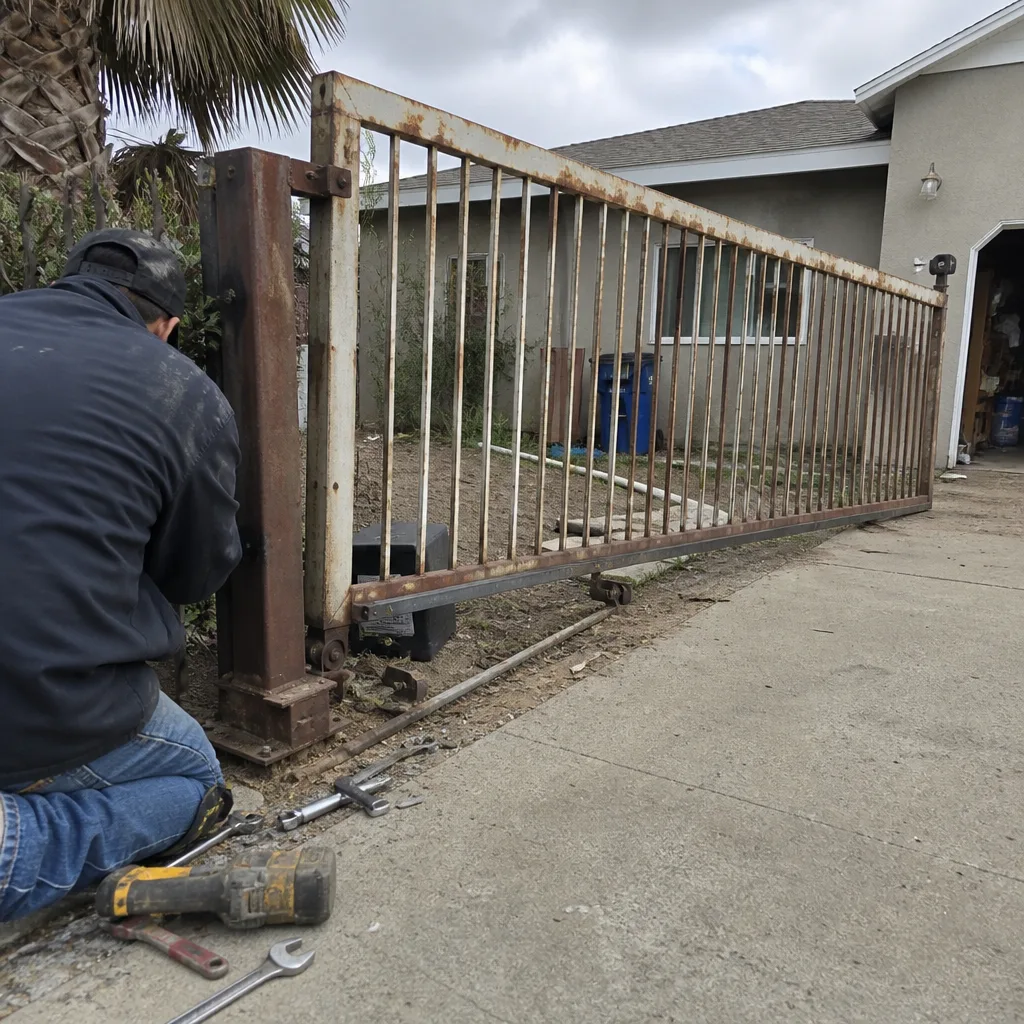 Before
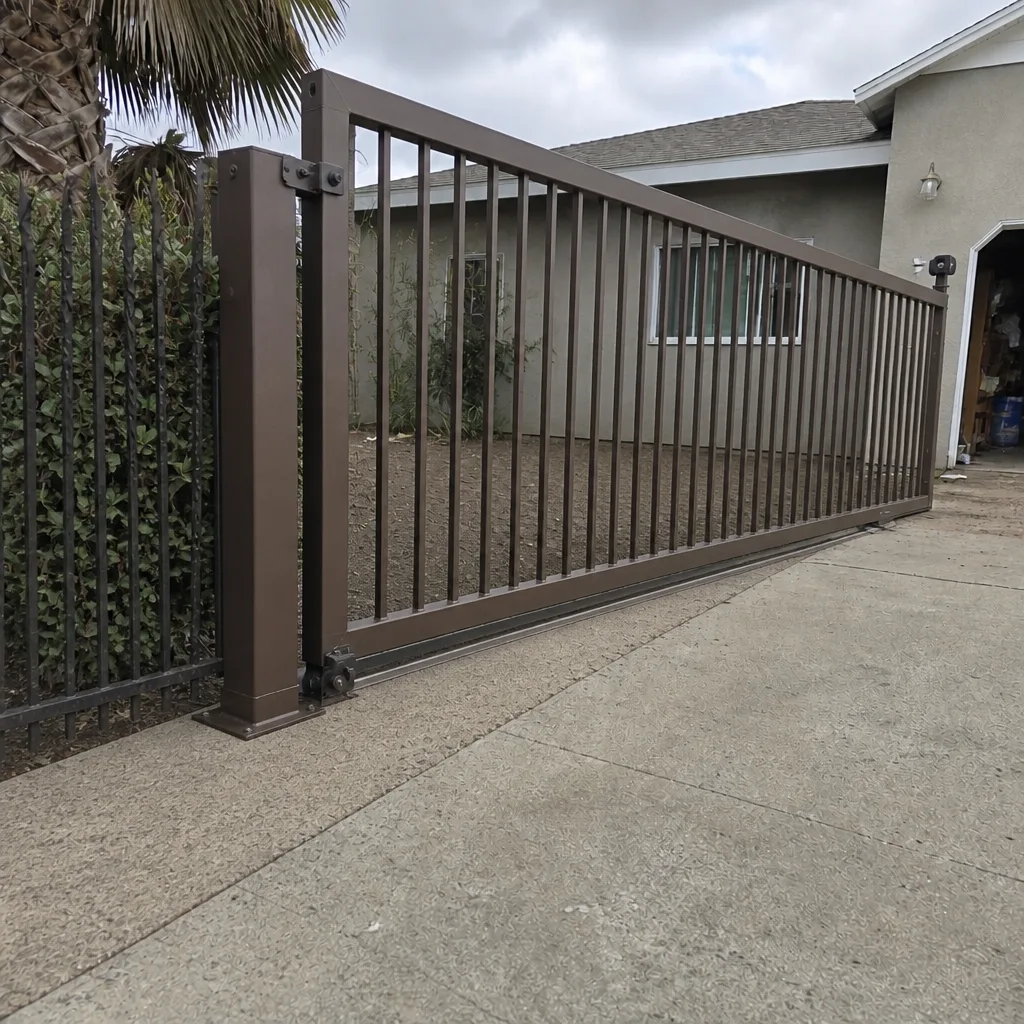 After
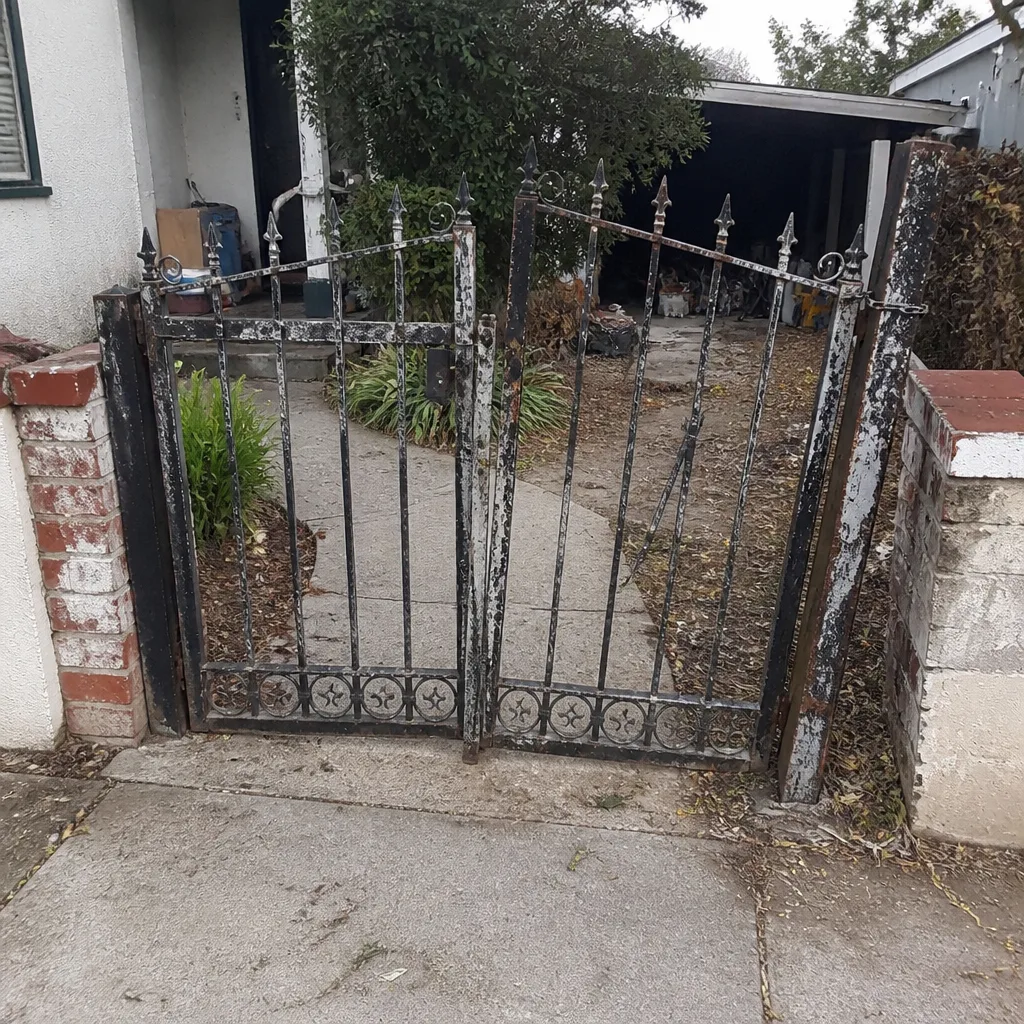 Before
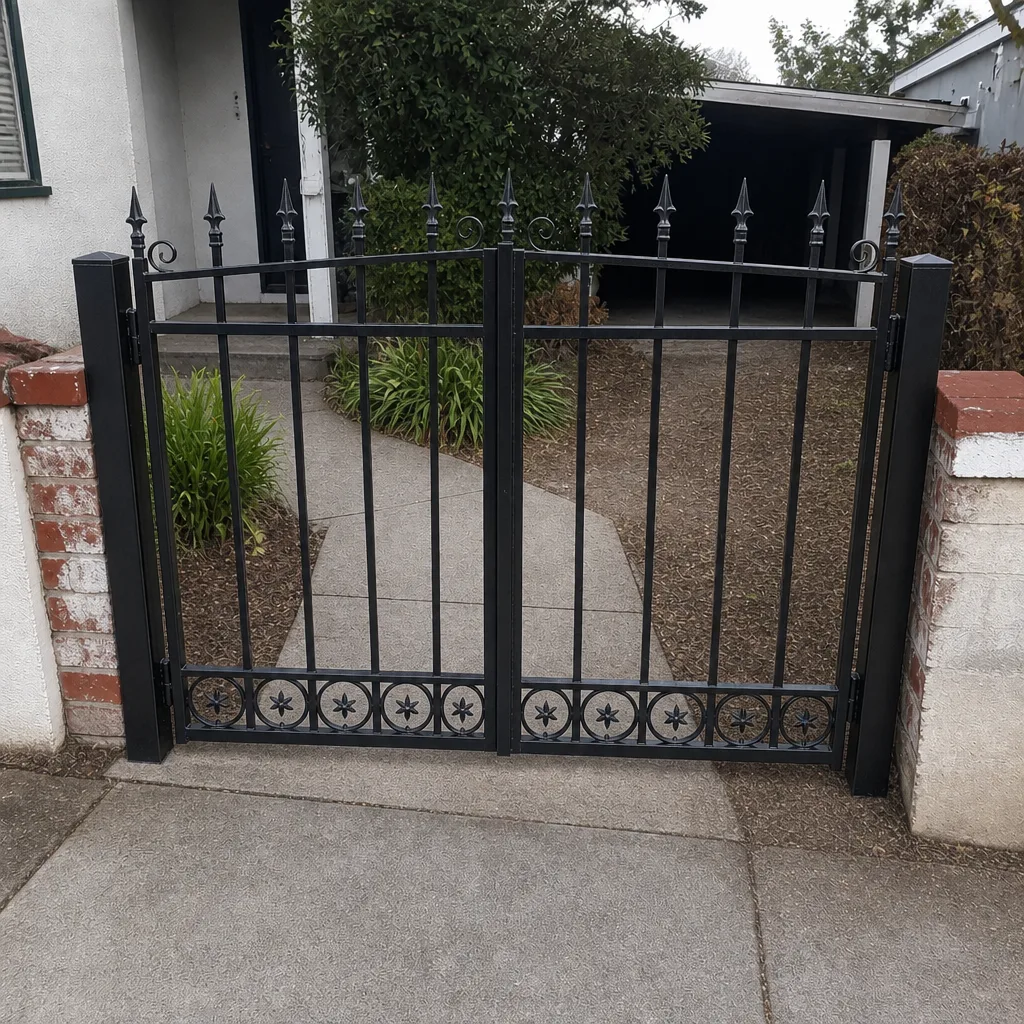 After
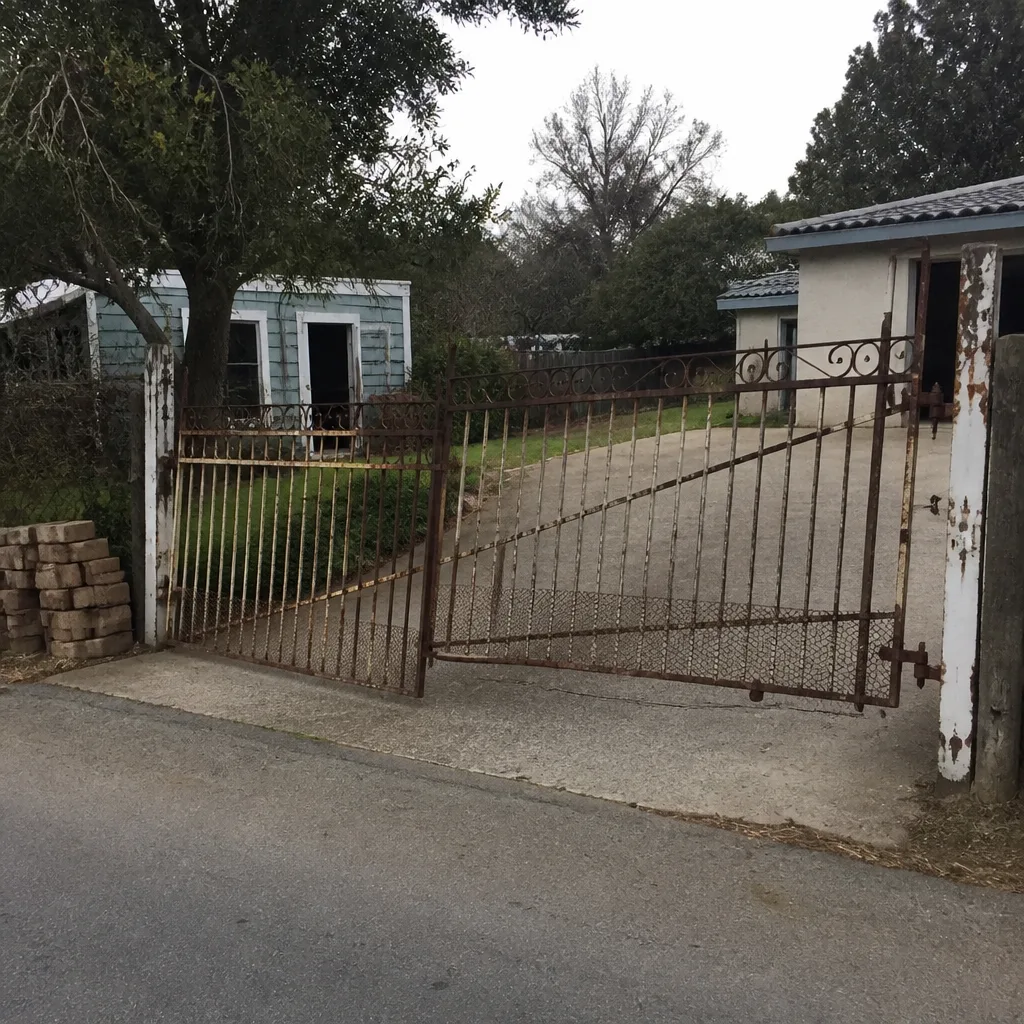 Before
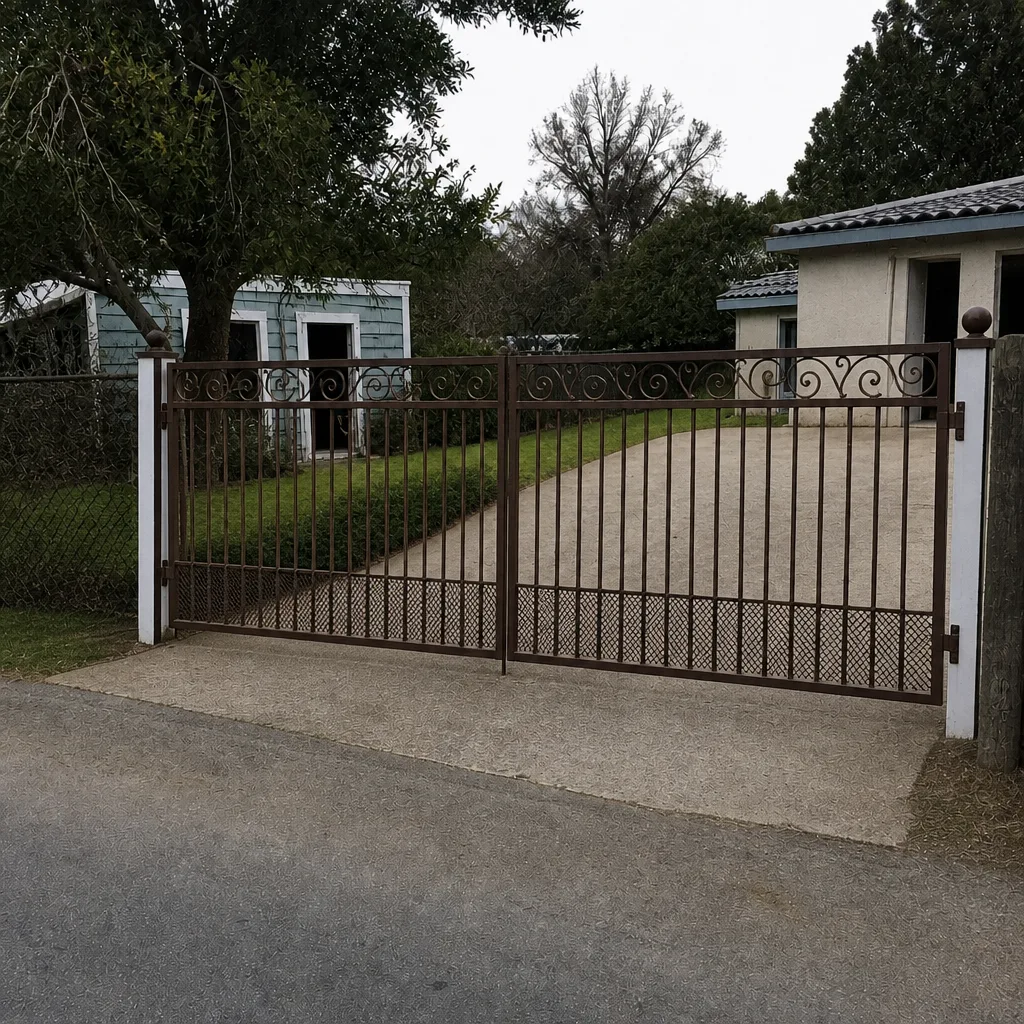 After
When to Call a Professional
Call a technician the same day for any of these: the gate moves on its own, fails to reverse on obstruction, sparks or smells of burning at the operator or control box, sags off its track or hinges, shows visible damage after an impact, or has stopping short of the post while children or pets are on the property. Those are safety issues, and the gate should be taken out of service until someone looks at it.
Schedule a routine visit for the rest: grinding, hesitation, slow travel, reduced remote range, a gate that stops short but still runs, or a gate whose structure has shifted. Catching those early keeps them cheap.
Gate Repair Salinas offers free estimates in Salinas – call (888) 704-3384. Our technicians have up to 15 years of experience and work exclusively on gates, from motor to control board, across LiftMaster, FAAC, BFT, Linear, Viking, Ghost Controls, DoorKing, Elite, and Mighty Mule. When you call, we answer 24/7. Fast dispatch from 7am to 7pm, Sunday through Friday.
Frequently Asked Questions
Hesitation before the gate opens is the single most common early warning sign we see. It means the operator is drawing more current than it should, and the three usual causes are a weakening battery, mechanical binding at the gate, or a failing capacitor or control board. Booking a free estimate early keeps the diagnosis cheap. Call (888) 704-3384 to schedule.
Usually yes, briefly, if the gate still completes its cycles and reverses on obstruction – but schedule the repair soon. Grinding almost always means the chain, drive gear, or a roller is wearing at an accelerated rate, and every cycle shortens the remaining life of the worn part. Call (888) 704-3384 for an exact quote.
If the gate moves on its own, fails to reverse when something is in its path, sags off the track or hinges, sparks or smells hot at the control box, or shows visible impact damage, take it out of service until a technician inspects it. Those are the warning signs that make a gate a safety problem rather than a maintenance item. Call (888) 704-3384.
Hot afternoons push a marginal motor, capacitor, or control board past its limit, and the gate shows the symptom only when it’s warm. If a hesitation or slow travel that only appears in the afternoon is happening on your Salinas gate, it usually means a component that’s close to the end of its life, and warm weather is revealing it rather than causing it. Call (888) 704-3384 to have it looked at before the fault spreads.
Yes. The clay soils through the Salinas Valley swell with winter rain and shrink hard through the dry season, and that cycle moves posts. A slide gate whose track has gone slightly out of level will drag, and a swing gate whose hinge post has tilted will fight its arm – symptoms that look exactly like operator problems. Call (888) 704-3384 for a free estimate and a proper look.
It varies by symptom, but a hesitating or grinding gate typically gives weeks, sometimes months, of warning before it stops. The cost curve is not linear – replacing a chain is one job, replacing a chain and a rounded sprocket is two, and waiting until the operator goes with the chain is a third. Call (888) 704-3384 and get an exact quote before the warning signs turn into a breakdown.
The Bottom Line
Gates rarely fail without warning. Grinding, hesitation, slow travel, reduced remote range, a gate stopping short, a gate moving off plumb – every one of those is a component talking to you before it gives up. Read them accurately and you replace a worn part; ignore them and you replace an operator. The line between “schedule a service call” and “shut it down today” is simple: if the gate moves on its own, fails to reverse, sags off the track, or sparks at the control box, it’s a safety issue and it stops now. Everything else gets booked and watched.
Gate Repair Salinas works on the brands we’ve named throughout this guide, and we diagnose the gate first and the operator second – because that’s the only order that gets it fixed once. Call (888) 704-3384 for a free estimate. We answer 24/7. Fast dispatch from 7am to 7pm, Sunday through Friday.
Written by the team at Gate Repair Salinas.